For Banbury & nearby businesses

Help local people find your business.

Give residents the practical details they need to plan a visit, get in touch or explore what you do—with a free basic listing on Banbury Life.

Free account. No payment needed. Listings and changes are reviewed before publication.

Explore the four-week free trial invitation

Want to share an offer? See what to prepare

See the 3 Flavours enhanced listing and free-versus-proposed comparison →

Already have an account? Sign in

A small, voluntary local trial

Request a four-week free business trial

We’re inviting local owners in Banbury and the surrounding area to request participation in a four-week free trial, intended for five voluntarily participating businesses. Tell us what you’d like local people to find or do, so we can discuss a useful starting point together.

Free tools you can use now

£0

  • Create or claim a basic business listing, maintain approved details and keep private drafts in your free account.
  • Submit and maintain events, activities and offers for review. You choose your offer’s saving, dates, eligibility, limits and redemption instructions.
  • See recorded listing interest and separately record your own offer redemptions and optional sales totals. These tools stay free.

Enhanced promotion: the proposed additions

Future option: £10 per month for one business

  • Expanded profile. A fuller introduction, one supplied photo you have permission to use, and a clear action link, with content reviewed before publication.
  • Relevant sponsored discovery. A clearly labelled sponsored card in relevant place or category discovery, kept separate from ordinary results. Payment does not buy an impartial recommendation.
  • Help presenting one offer. One wording pass and one correction round on one offer per month, using the terms you supply and approve. Your business keeps control of the saving, eligibility, limits and redemption.
  • One shareable promotional asset. One graphic with a QR link to your public listing or offer, supplied as a file for you to share or print, with one correction round. Printing and posting it are up to you.
  • Monthly results summary. One summary of recorded interest and any aggregate offer outcomes you choose to report, plus one practical suggestion. Views and clicks are kept separate from business-reported redemptions and sales.

The £10/month option and trial service delivery have not launched. This is an invitation to request participation, not a confirmed place; we’ll reply to discuss fit and agree the start date and scope before any trial begins. The four-week trial is free, requires no card and will not convert automatically to a paid plan. Your free tools remain available afterwards. Help is limited to the items above, rather than unlimited bespoke work; reach, ranking and sales are not guaranteed.

Tell us what would help your business

Email us with your public business website or Banbury Life listing link and the outcome you’d like to explore, such as enquiries about a service or redemptions of an offer you control. A public website is enough if you haven’t created a listing yet.

We use your email and message to answer your request and discuss participation. Send public business information only, not customer data, passwords or identity documents. You can ask us about your information or withdraw your request at the same address. Read how we handle your information.
Free business offers

Give local people a reason to visit—with terms you control.

Adding and maintaining an offer is free, just like your basic listing. No payment or paid promotion is needed. You choose a saving your business can honour; Banbury Life does not set your discount or sell vouchers.

1. Start with a business you manage

You need a published listing attached to your account before you can create an offer. An approved new listing or a verified ownership claim gives you access; a draft listing or pending claim does not.

Already manage a published listing? Sign in or create a free account to open My offers and choose your business. If your listing or claim is still under review, check My listings or Ownership claims first, then return to My offers once approved.

Open My offers

Not listed yet? Search the guide first. Open an existing profile and choose “Claim this listing”, or start a free listing if your business is missing.

2. Prepare clear offer terms

  • A title, the saving you choose and a description of exactly what is included.
  • Start and end dates, both inclusive in UK local time: the offer runs through the end date.
  • Who is eligible, any minimum spend, exclusions, stock or usage limits, and whether it can be combined with another offer.
  • Simple redemption: ask the customer to show the offer, or supply your own code. Explain where and how to use it, including any booking or purchase requirements.

Choose terms your staff can apply consistently. Published limits are your instructions, not a live stock counter or automatic redemption cap.

3. Save, submit and keep it current

Save an incomplete private draft and come back to finish it. Submit when your terms are ready; the team reviews the offer before it can appear publicly. Check My offers for the decision and any correction request, then revise and resubmit if needed.

A pending version cannot be edited during review. You can edit later and submit changes for another review; the last approved terms stay unchanged until the update is approved.

Approved offers appear in active discovery only within their dates. Future offers wait for their start date; expired offers leave active results and their pages are marked expired. Refresh dates and submit again if you want to run an expired offer again.

4. See interest—not assumed sales

Listing interest shows recorded profile views and outgoing website, contact and offer actions. These are not proof of visits, redemptions or purchases, and an offer does not guarantee sales.

In Offer results you can separately record daily business-reported redemptions and optional resulting sales totals for approved offers. Those totals are supplied by you, not independently verified or inferred from views. Leave unknown sales blank; do not include customer names, receipts or other customer details.

Need help with a listing, claim or offer? Email banbury-life@brainer.one with your listing or submission link.

See the guide in action

Real places, practical details

Open a published profile to see how a local business appears in the guide.

Arts & crafts · Banbury · Town centre

The Artery

An art-supplies shop offering in-store and online art classes. Check its class listings for materials, dates and booking arrangements.

Explore this place
Your shortlist

These are source-checked guide entries, not endorsements or evidence that the businesses have claimed their listings.

Choose your starting point

Create a listing—or claim the one already here

Not in the guide yet?

Search first to avoid a duplicate. If your business is missing, create a free account or sign in, choose “Add a listing” and save your details as a draft.

When ready, include a name, category, place, description, public address and source link, then submit for review. Add accurate hours and contact links where available.

Start your listing ↗

Already have a profile?

Find your business, open its profile and choose “Claim this listing”. Sign in and explain your role and how the team can independently confirm your authority to manage it.

A claim is a request, not an immediate transfer. After approval, you can maintain the existing listing instead of creating another one.

Find your existing business ↗

What happens at review?

The Banbury Life team checks submitted details against reliable public business or organiser sources before publication. Include links that support your details; only submit information and content you have permission to use.

For claims, an email address or an assertion alone is not proof of authority. We need independent confirmation through published business contact details or another reliable source. Don’t send passwords or identity documents.

Check your workspace for the decision and any useful correction request. You can revise and resubmit. If you are updating a published listing, the last approved details stay public while changes are reviewed.

Keep hours, contact details, events and offer dates current. Supporting evidence or a question? Email banbury-life@brainer.one with your listing or submission link.

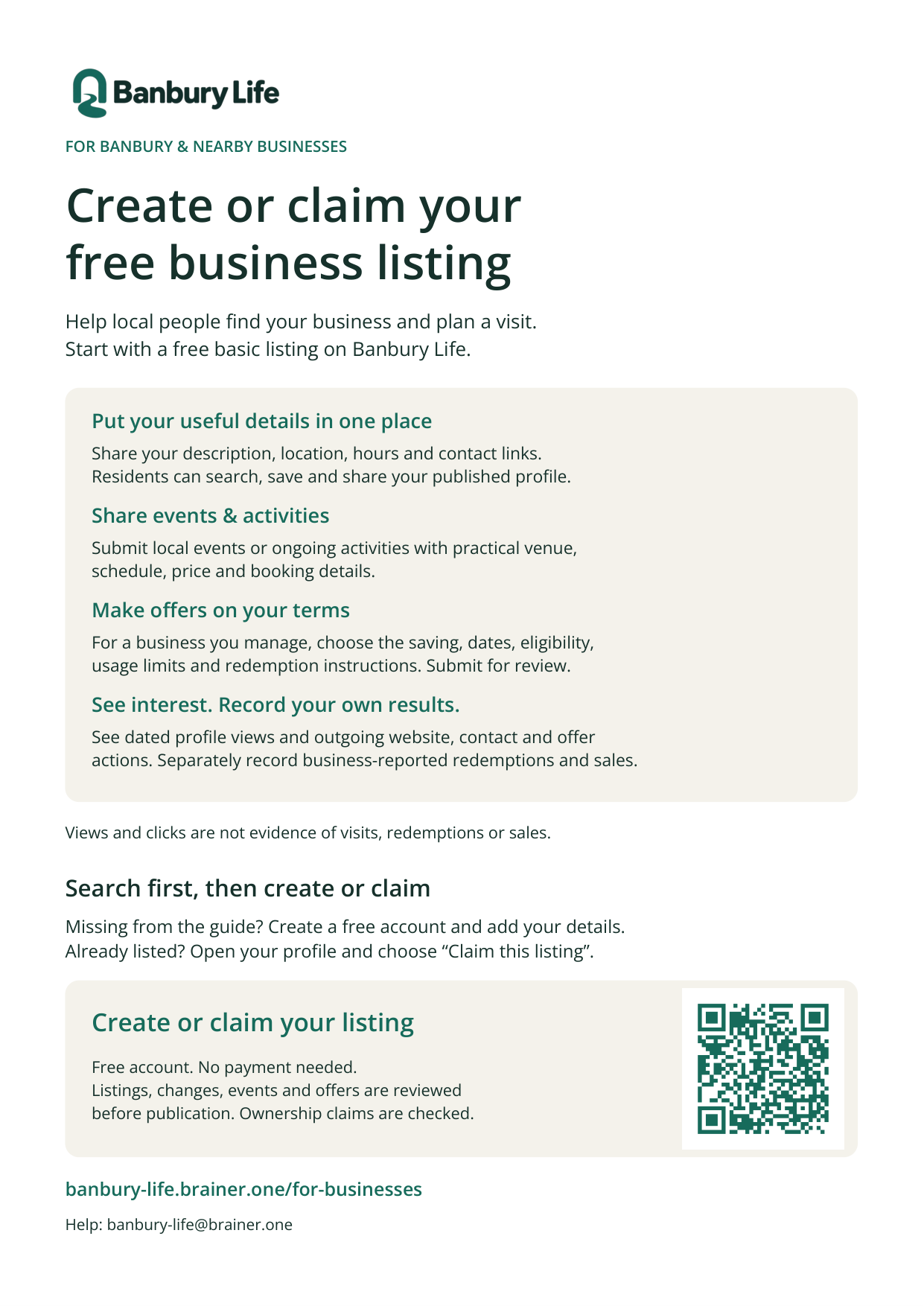
Banbury Life invitation to create or claim a free business listing, share events and activities, submit owner-controlled offers, and see dated interest separately from business-reported results. No payment needed; submissions are reviewed.

Pass it on

Invite another local business

Know another local business owner? Share this invitation to create or claim a free listing.

For printing, choose the one-page A4 PDF (210 × 297 mm) and print at actual size / 100%. White margins are included; no trimming is needed. The PNG is for previewing and sharing.

The QR code and readable address lead to this public invitation: banbury-life.brainer.one/for-businesses.

More you can do for free

Share what’s on. See recorded interest.

Events & activities

Owners and organisers can save, submit and maintain local events or ongoing activities for review. Include the venue, dates or schedule, price and booking details where known. Linking your own published business is optional.

Manage events & activities ↗

Offers you control

Once you manage a published business, submit offers with your chosen saving, validity dates, eligibility, usage limits and a code or “show this offer” instructions. Approved active offers appear in discovery; expired offers are marked and leave active results.

How to add a free offer

Interest & reported results

See dated recorded profile views and outgoing website, contact and offer actions for your business. You can separately record dated, business-reported offer redemptions and resulting sales.

Views and clicks are not proof of visits, redemptions or purchases; identifiable owner, team and test activity is excluded from interest counts.

See listing interest ↗
Record offer results ↗

Put your details within reach.

Start with a free listing, or find the profile already in the guide.

Start a free listing ↗
Opens in a new tab or window.